Your agentic channel manager. A week of clips in under 10 minutes.
It analyzes every post you've made, builds your posting strategy, cuts and posts your clips everywhere, then learns from every result. Set it up once. Run it every week. Each clip smarter than the last.
Everything a channel manager does.Every week, without the hours.
Analyzes every post
Every video you've published, scored for what held viewers and where they left.
Builds your posting strategy
A plan made for your channel: what to post, where, and when.
Edits, cuts, and reframes
One long video becomes a week of Shorts, Reels, and TikToks, captioned and reframed to 9:16.
Posts everywhere
YouTube, Instagram, TikTok, Facebook, LinkedIn, and X, each at your best time. You approve first.
Analyzes the outcomes
Every post measured, so you know what worked and why.
Keeps learning
Each result shapes the next batch. Every clip smarter than the last.
Setup guide · about 5 minutes
Set it up in about 5 minutes.Here's every step.
Sign up, answer 3 questions, and connect the channels you post to. Radical Tempo reads everything you've already published, so it starts from your own results on day one.
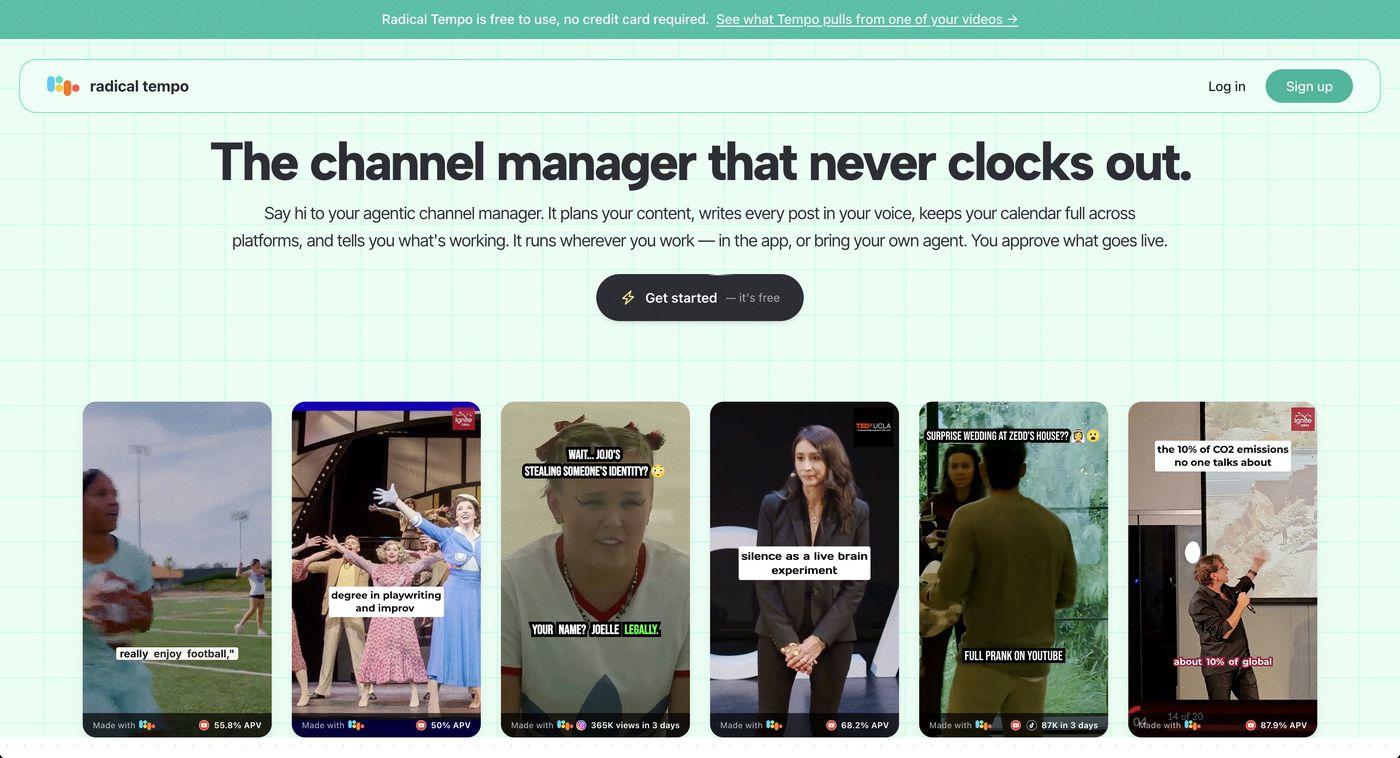
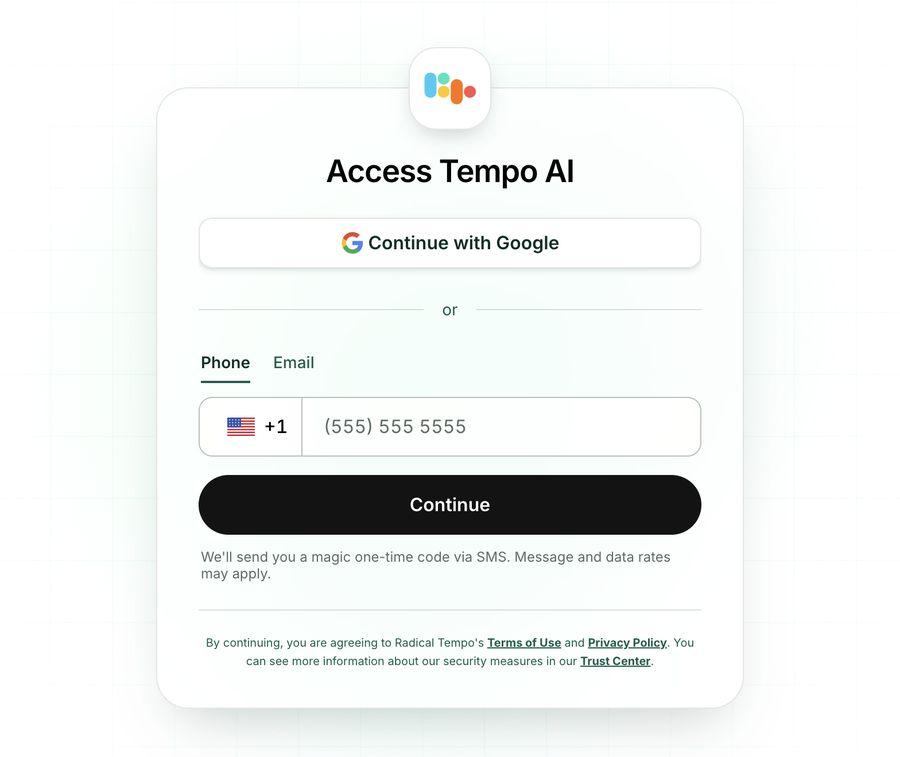
Go to radicaltempo.com and click Get started. Continue with Google, or enter your phone number or email and Radical Tempo sends you a one-time code. There's no password to set.
Why it matters
Radical Tempo is free to use, with no credit card. Signing in drops you straight into a chat with your new channel manager.
Check before moving on
You're in, and your channel manager has said hello
2
Meet your channel manager
30 sec
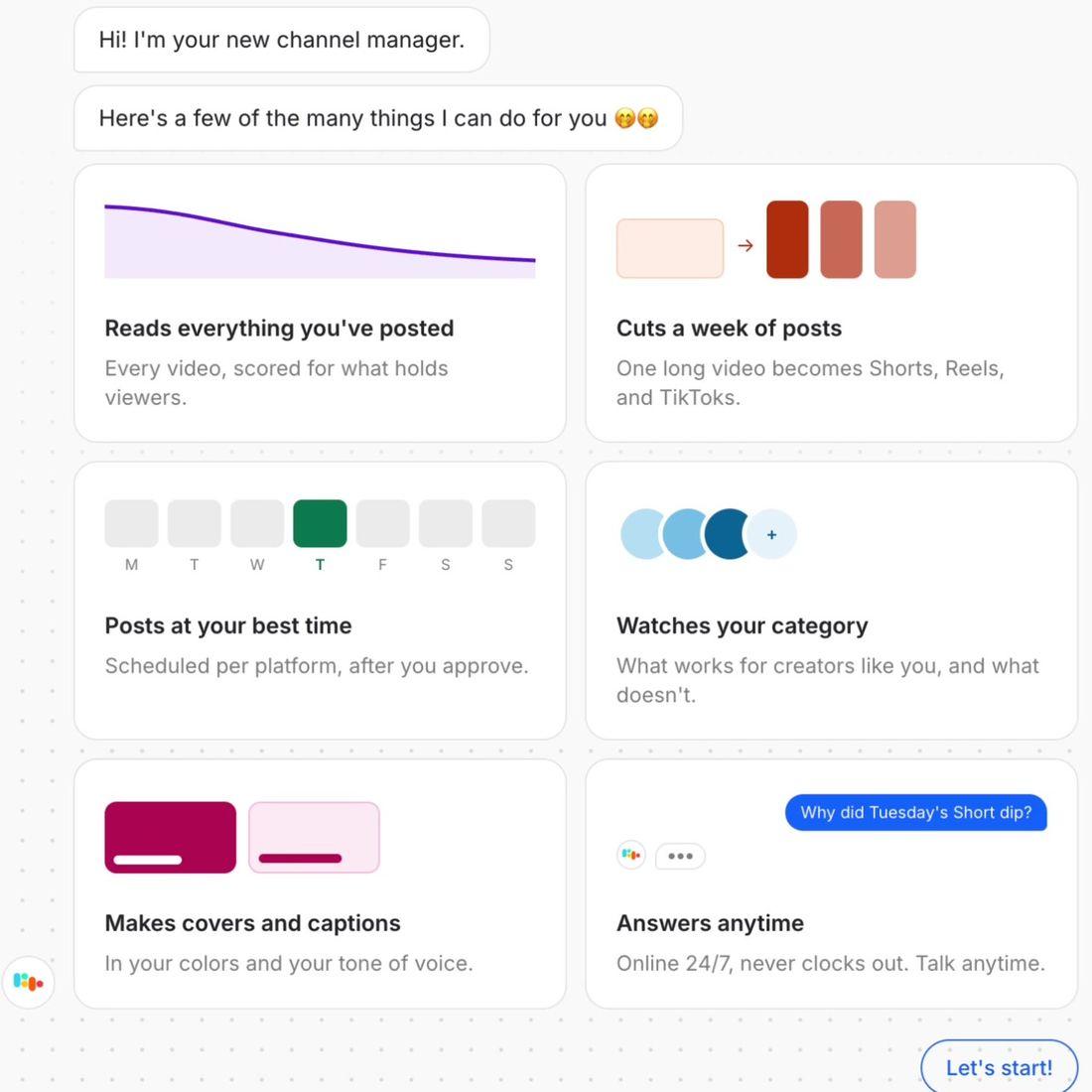
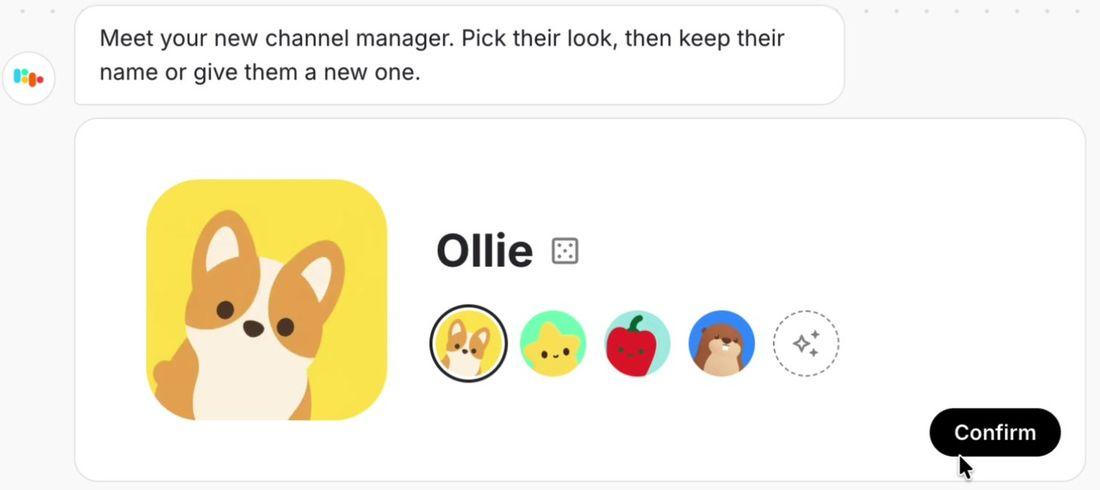
Your channel manager introduces itself and what it does. Click Let's start, pick their look, and keep their name or give them a new one.
Reads everything you've posted and scores every video for what holds viewers
Cuts a week of posts from one long video
Posts at your best time on each platform, after you approve
Watches your category: what works for creators like you, and what doesn't
Makes covers and captions in your colors and your tone of voice
Answers questions anytime
Why it matters
This is who you'll work with from now on. It plans, writes, and reports. You approve what goes live.
Check before moving on
You've picked a look and a name. Ours is called Ollie.
3
Answer 3 questions
1 min
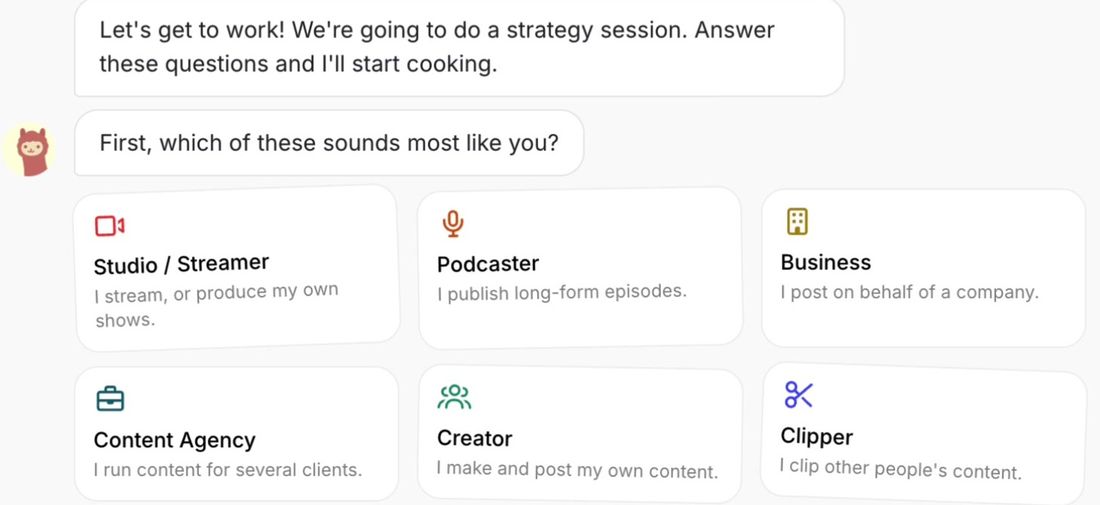
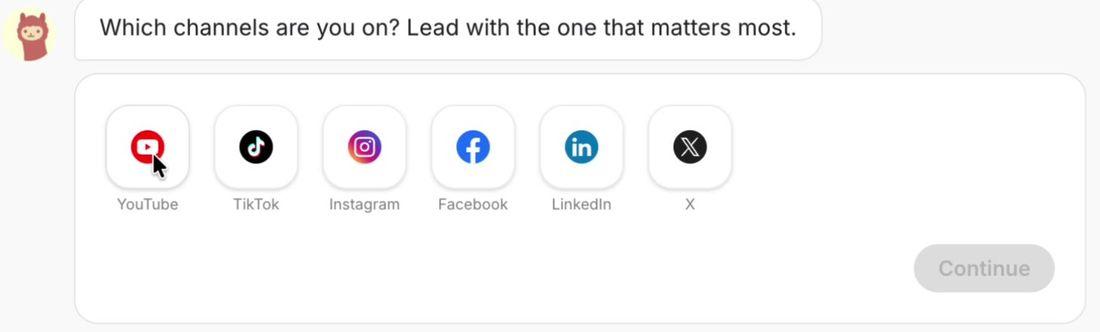
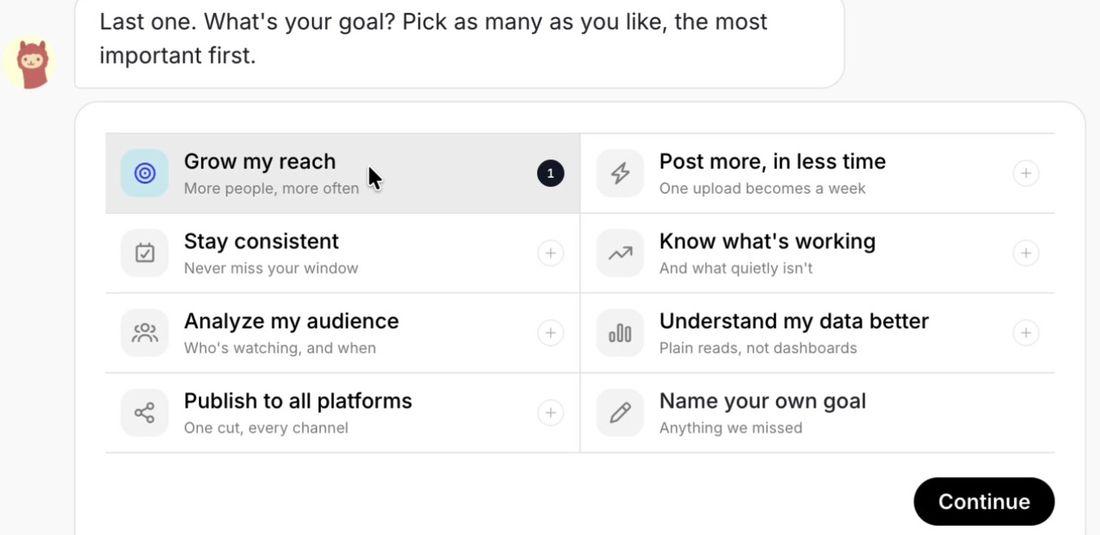
A short strategy session: which sounds most like you, which channels you're on (main channel first), and your goals (most important first).
Which sounds most like you? Studio or streamer, podcaster, business, content agency, creator, or clipper.
Which channels are you on? Tap them in order, starting with the one that matters most.
What's your goal? Pick as many as you like, most important first.
Why it matters
Your answers set the first plan: which platform it works on first, which creators it compares you with, and what it reports back on.
Check before moving on
Your main channel is first in the list
Your top goal is first
4
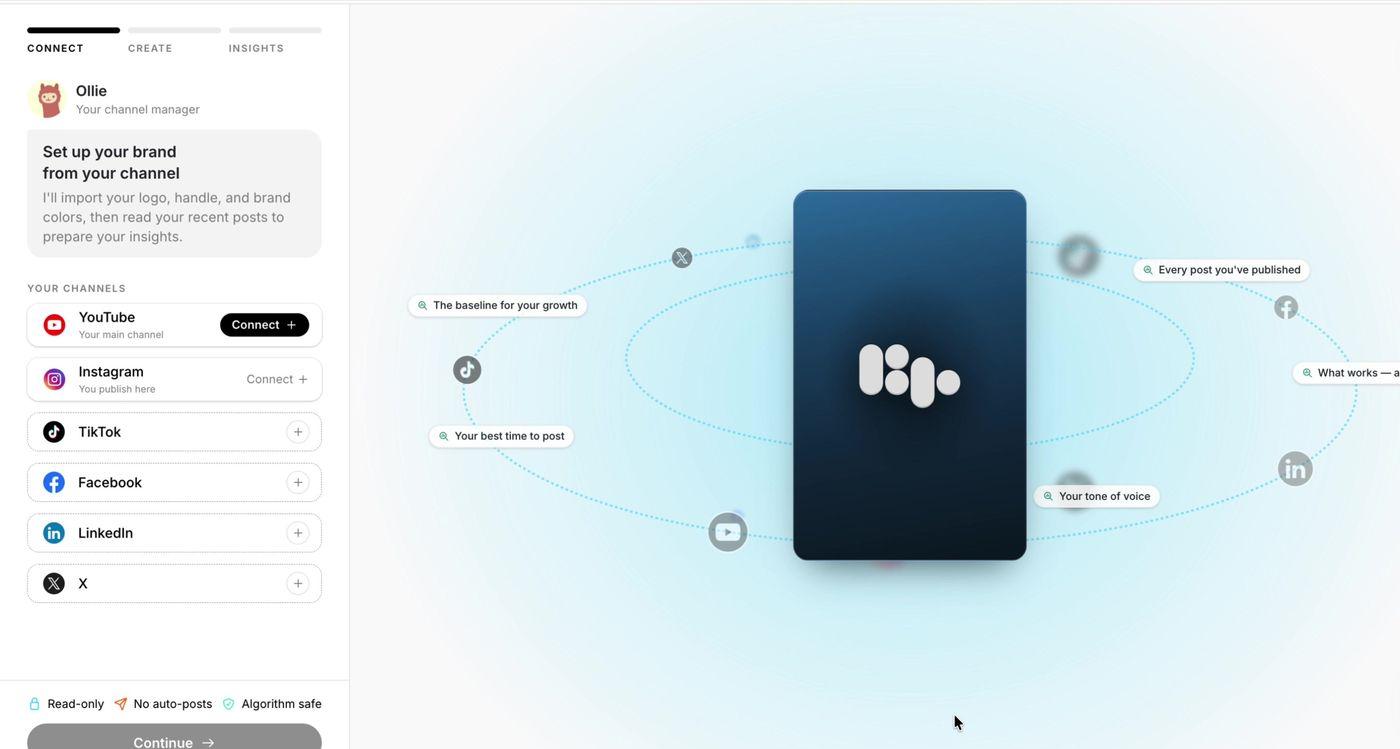
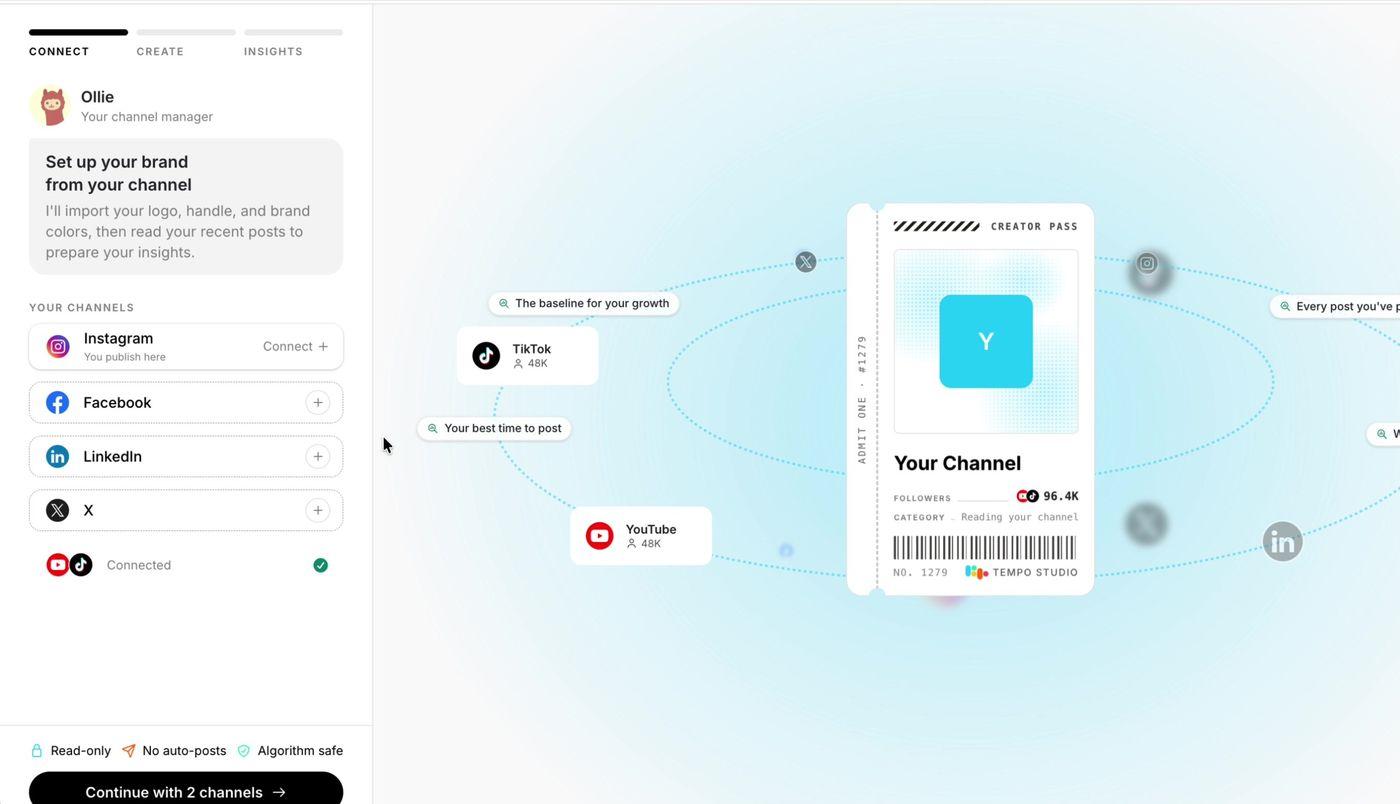
Connect your channels
Most important1–2 min
Connect the accounts you post to: YouTube, Instagram, TikTok, Facebook, LinkedIn, and X. You need at least one to continue. Connect every one you use. Each one opens that platform's own sign-in for you to approve.
Why it matters
This is how Radical Tempo understands your channel. It reads every post you've published, on every platform you connect, so it starts from your own results on day one, not from a blank page. Every channel you skip is history it can't learn from.
Check before moving on
Every account you post to shows as connected
5
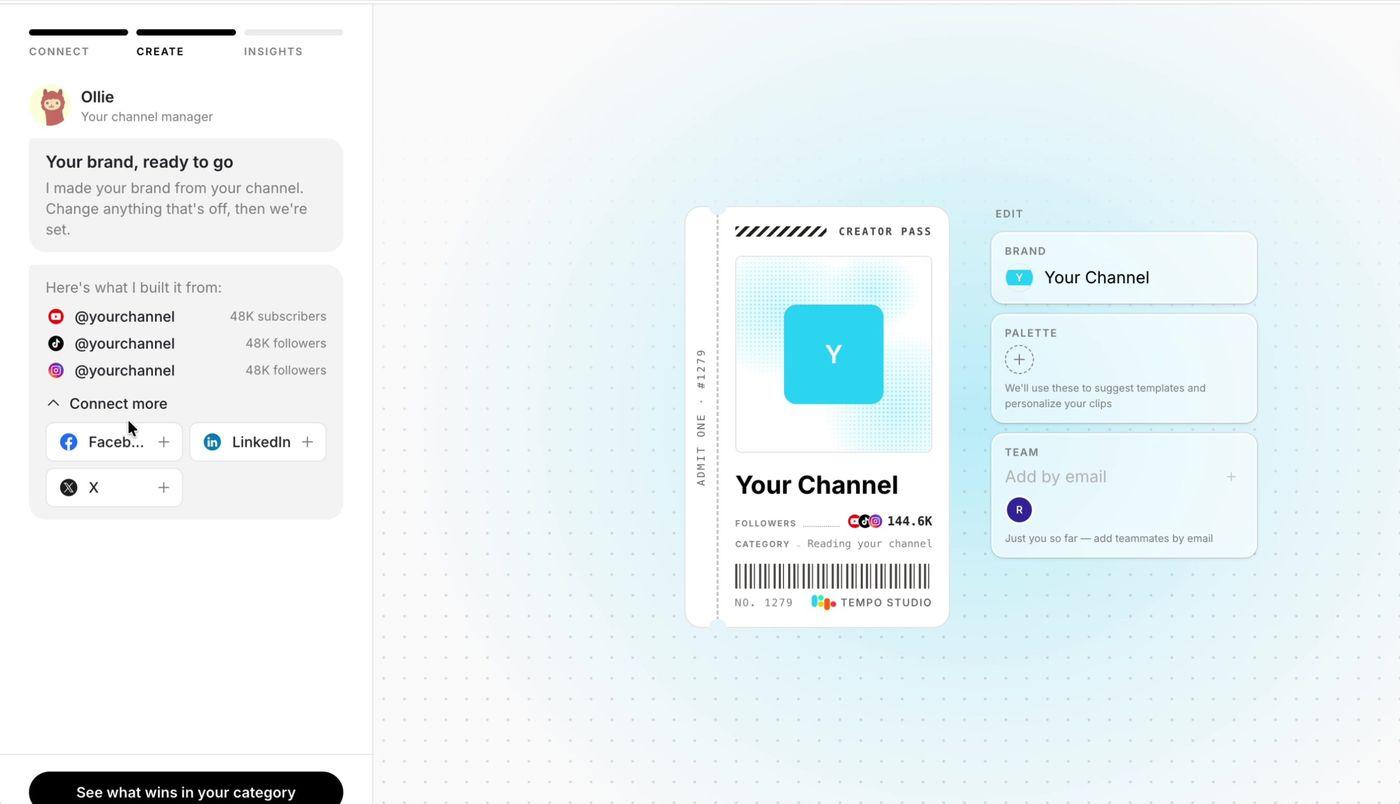
Check your brand
30 sec
Radical Tempo builds a Creator Pass from your channels: your name, logo, and combined followers. Edit the brand name, add your color palette, and invite teammates by email. If you skipped a channel, Connect more is here too.
Why it matters
Covers, templates, and captions use these settings, so fix anything that's off now.
Check before moving on
Name and logo are right
Palette added
Any missing channels connected
6
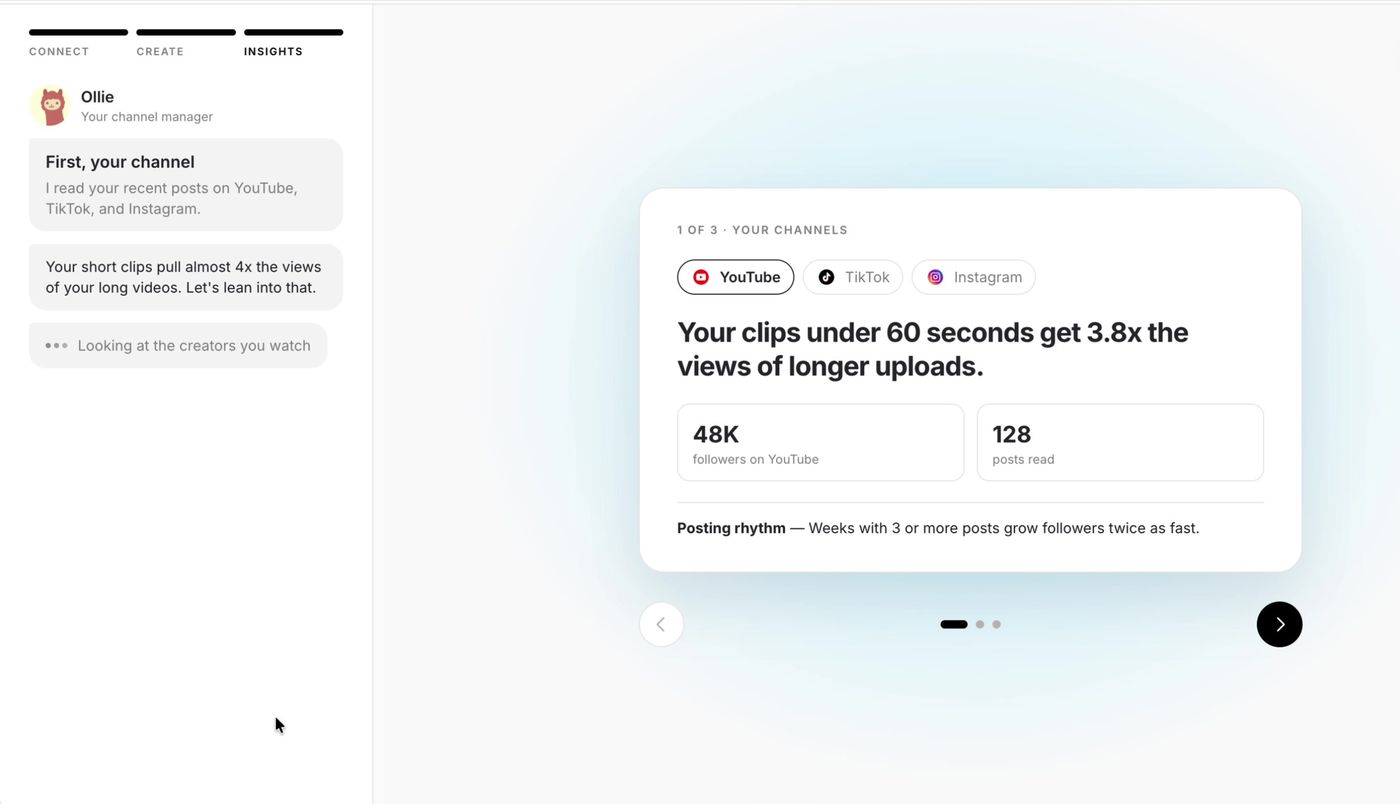
See what wins in your category
1 min
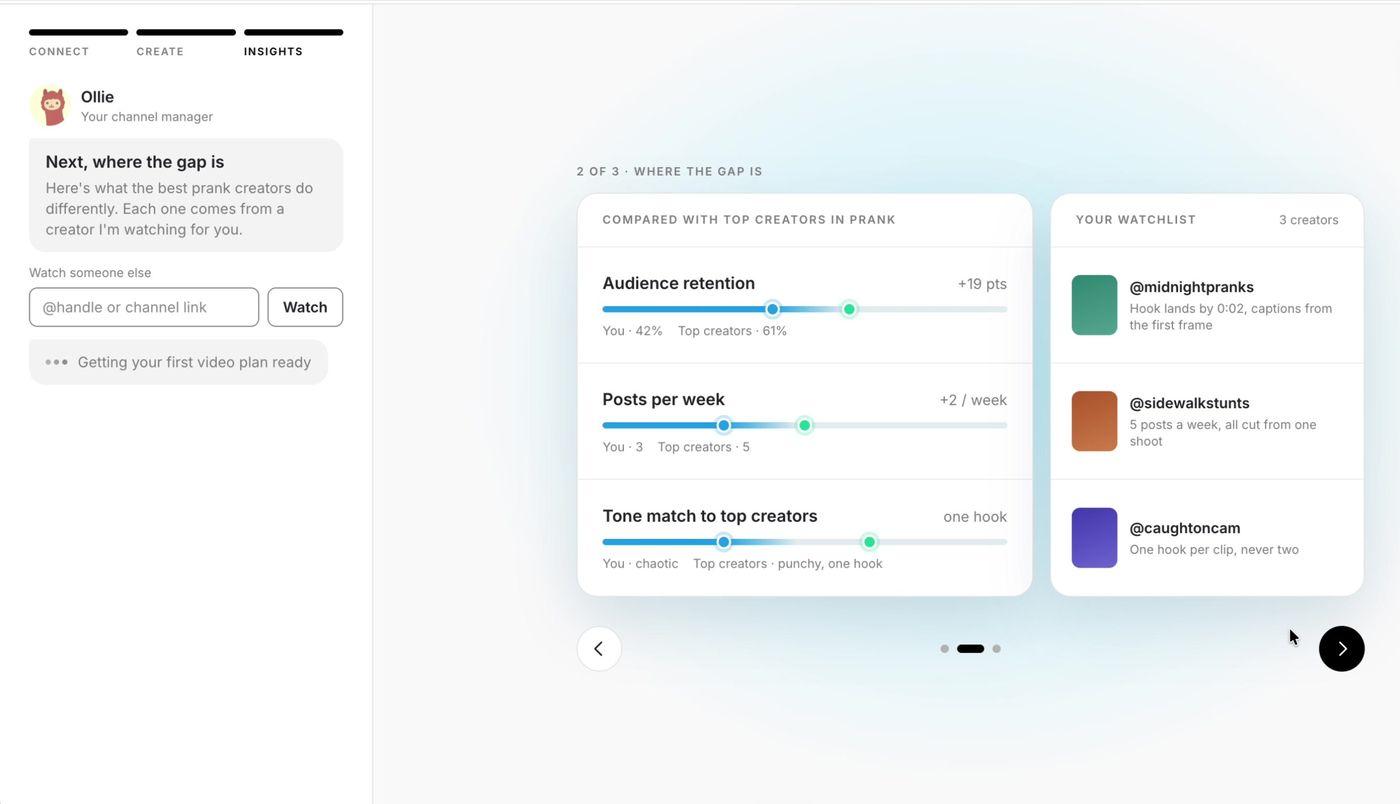
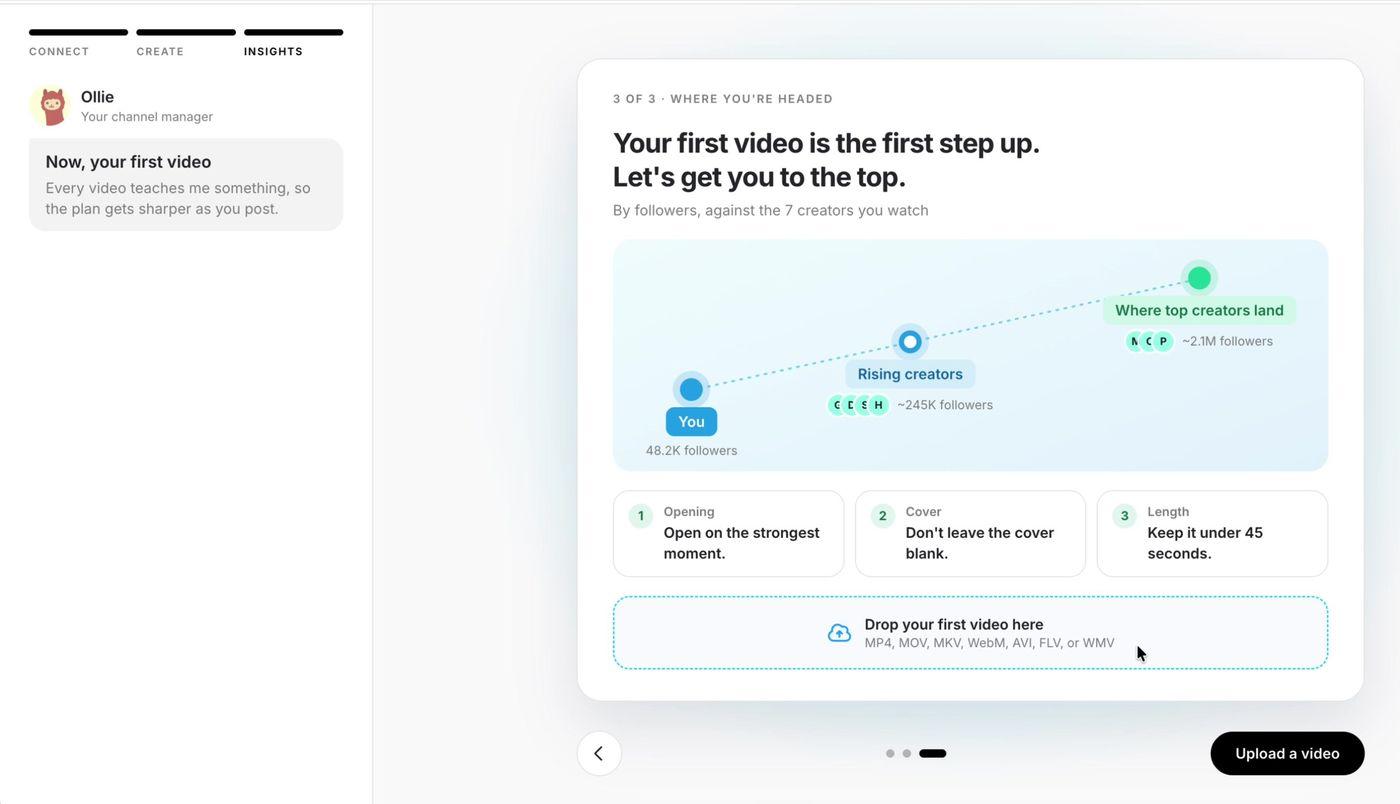
Click See what wins in your category for 3 cards: what's already working on your channel, how you compare with the creators you watch, and a plan for your first video.
Why it matters
You get an honest read on your channel before you've posted anything new. Adding creators you admire to the watchlist sharpens the comparison. It's optional.
Check before moving on
You've added any creators you want it to learn from
7
Upload your first video
1 min + processing
Your first-video plan sits above the upload box. Drop in a video, or click Upload a video. MP4, MOV, MKV, WebM, AVI, FLV, and WMV all work. Uploading one is the last step of setup. If you have no video at hand, Skip for now takes you into the app.
Pick something long with moments worth clipping: an episode, a stream, or a talk. Once you're in, import your recent Instagram and TikTok posts too, up to 100 at a time. The more of your history Radical Tempo holds, the better it gets at finding the moments your viewers stay for.
Why it matters
Radical Tempo transcribes the video, splits it into chapters, and finds the moments worth clipping. Every video teaches it something, so the plan gets sharper as you post.
Check before moving on
Your video has uploaded and is processing
Why connect everything
Your history is the head start.Connect it all.
When you connect your channels, Radical Tempo reads what you've already published and learns 5 things before you post anything new.
01Every post you've publishedEach video scored for what held viewers, and where they left.
02Your baselineWhat normal looks like for you, so it can tell a hit from a dip.
03Your best time to postPer platform, from when your own audience shows up.
04Your tone of voiceSo titles and captions sound like you, not a template.
05What works, and what doesn'tThe openings, lengths, and topics that hold your viewers.
It also builds your brand from your channel: your logo, handle, and colors. The more channels you connect, the more it can compare: the same clip can do millions on one platform and almost nothing on another. The connect screen marks connecting as read-only, with no auto-posts, so nothing goes live unless you approve it.
After setup · Choose how you'll work
You're set up.Now pick where you run it.
Both work from the same brand, so you can switch between them anytime.
Option A
In the Radical Tempo app
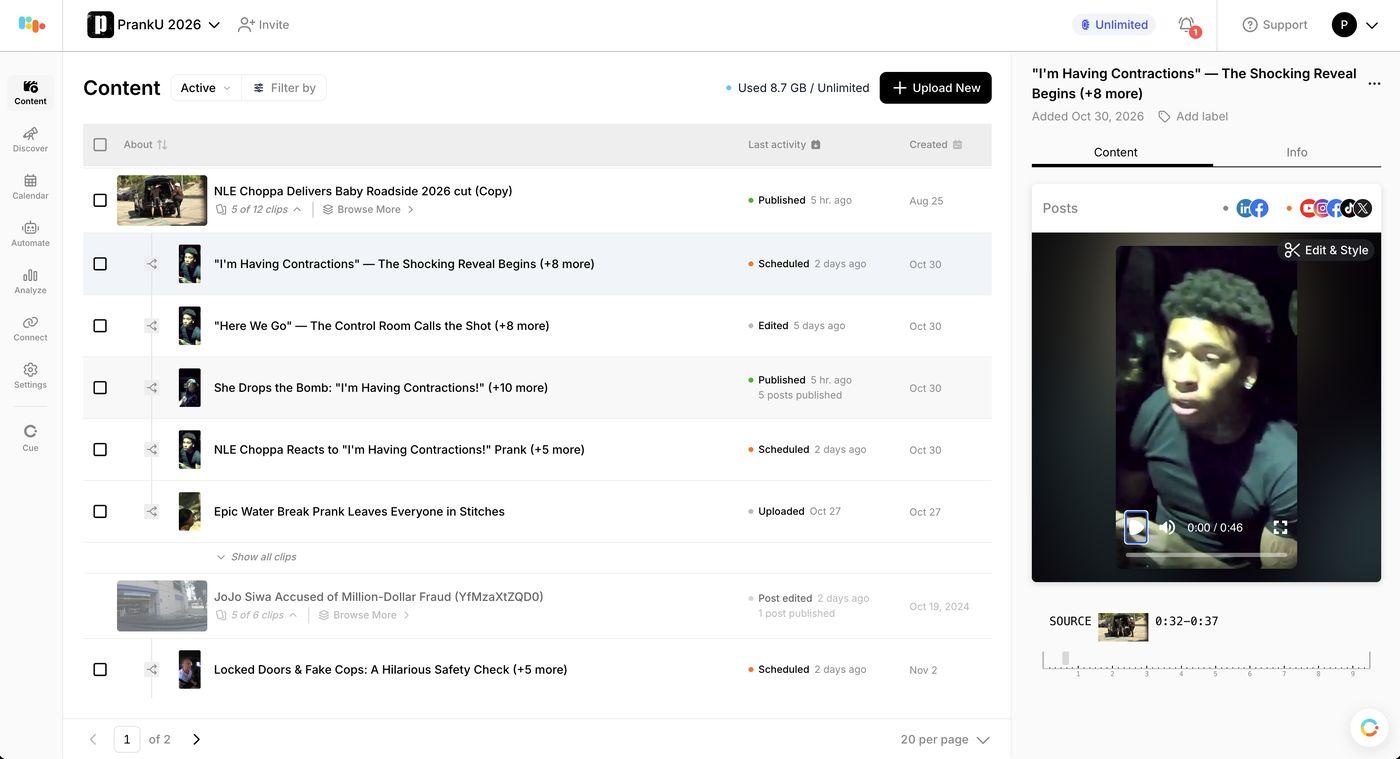
The PrankU 2026 brand, as an example
Content: your videos and every clip cut from them
Calendar: what's scheduled, on every platform
Automate: clips made every time you upload
Analyze: what held viewers, post by post
Connect: your channels and accounts
Option B
With Claude as your channel manager
Claude becomes the agent on top of your Radical Tempo data and tools: it analyzes, plans, cuts, schedules, and reports, in under 10 minutes of your week. Nothing goes live until you say yes.
An agentic channel manager does the work of running a video channel for you. Radical Tempo analyzes every post you have made, builds your posting strategy, edits, cuts, and reframes clips from your long videos, posts them to every platform at your best times after you approve, and analyzes the results and learns from them, so each batch is sharper than the last. Setting up a whole week of clips takes under 10 minutes.
Is Radical Tempo free?
Yes. Radical Tempo is free to use and sign-up needs no credit card. You can sign in with Google, or with a one-time code sent to your phone or email.
How long does it take to set up Radical Tempo?
About 5 minutes: sign up, meet your channel manager, answer 3 questions, connect your channels, check your brand, see what wins in your category, and upload your first video. Your first video then takes a little time to process.
Which platforms can I connect?
YouTube, Instagram, TikTok, Facebook, LinkedIn, and X. You need at least one to continue, but connect every account you post to: Radical Tempo learns from the history on each one.
Why should I connect all my channels?
Connecting is how Radical Tempo understands your channel. It reads every post you've published to learn your baseline, your best time to post, your tone of voice, and what holds your viewers, and it builds your brand from your logo, handle, and colors. Every channel you skip is history it can't learn from.
Will Radical Tempo post without my permission?
No. The connect screen marks it read-only, with no auto-posts. Radical Tempo plans and drafts posts, and nothing goes live until you approve it.
Do I have to upload a video during setup?
No, but it's the best way to start. Uploading your first video is the last step of setup, and Skip for now takes you into the app without one. MP4, MOV, MKV, WebM, AVI, FLV, and WMV files all work. Once you're in, you can import your recent Instagram and TikTok posts too.
Can I use Radical Tempo with Claude?
Yes. Add https://mcp.radicaltempo.com/mcp to Claude as a custom connector and sign in. Claude can then act as your channel manager, using the channels and history you've already connected. The Claude + Radical Tempo setup guide covers each step.
Radical Tempo is an AI video platform that cuts short clips from long videos, publishes them to YouTube, Instagram, TikTok, Facebook, LinkedIn, and X, measures how each one performs, and uses the results to make the next clips better. It connects to Claude and ChatGPT as an MCP connector.
Notes
Screens show the Radical Tempo sign-up flow with sample data. Your channel names and numbers will be your own.
Menu names may change, so check them against the current app.
 With Claude as your channel manager